Skip to content
Mix Directive

Private beta opening soon

Organise. Mix.
Master. Release.

One desktop home for your music — from a scattered catalogue and competing versions to a finished master with its identity, metadata, and release assets intact.

Built for independent artists and producers who need one clear route from work in progress to ready to release.

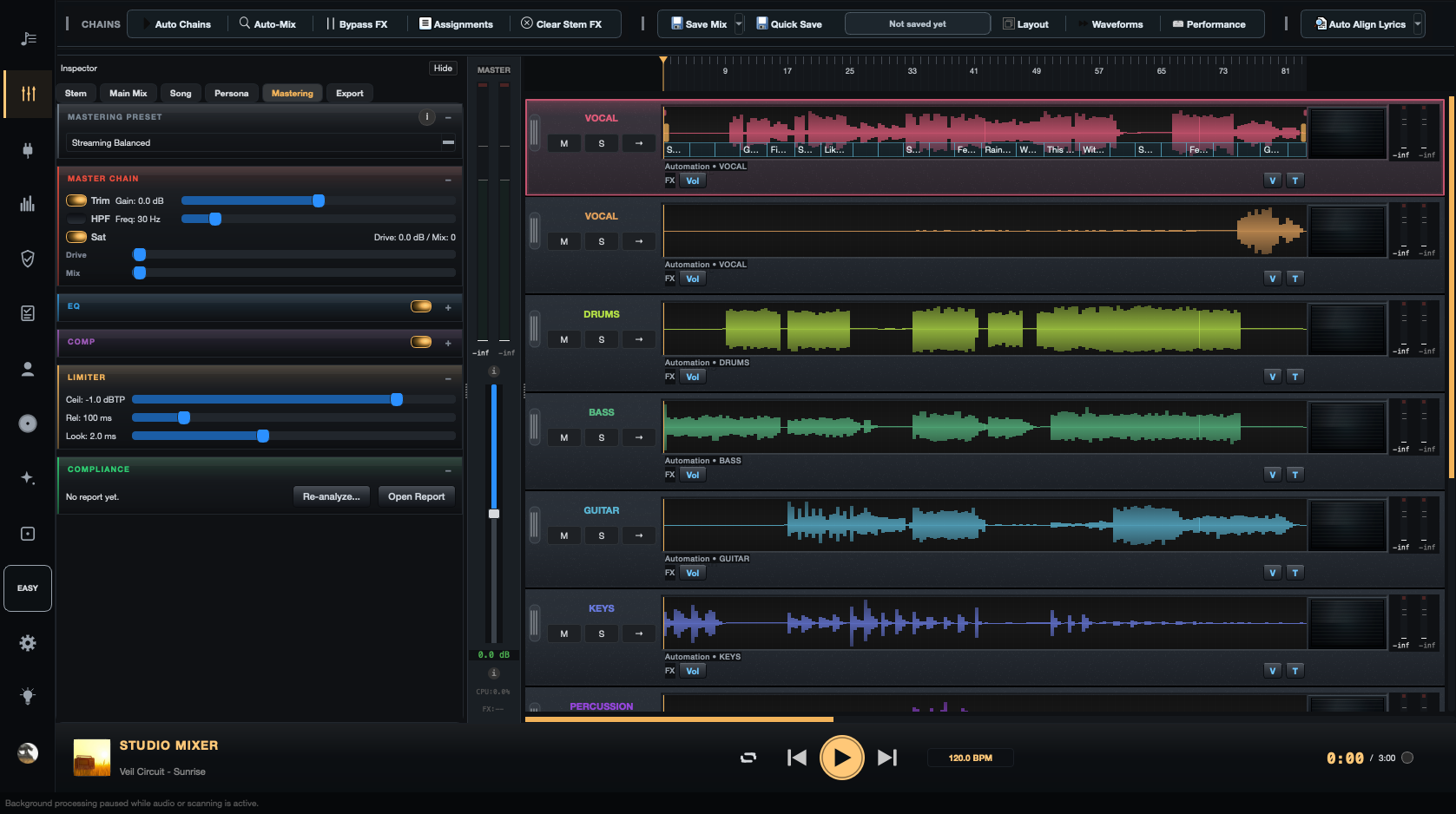
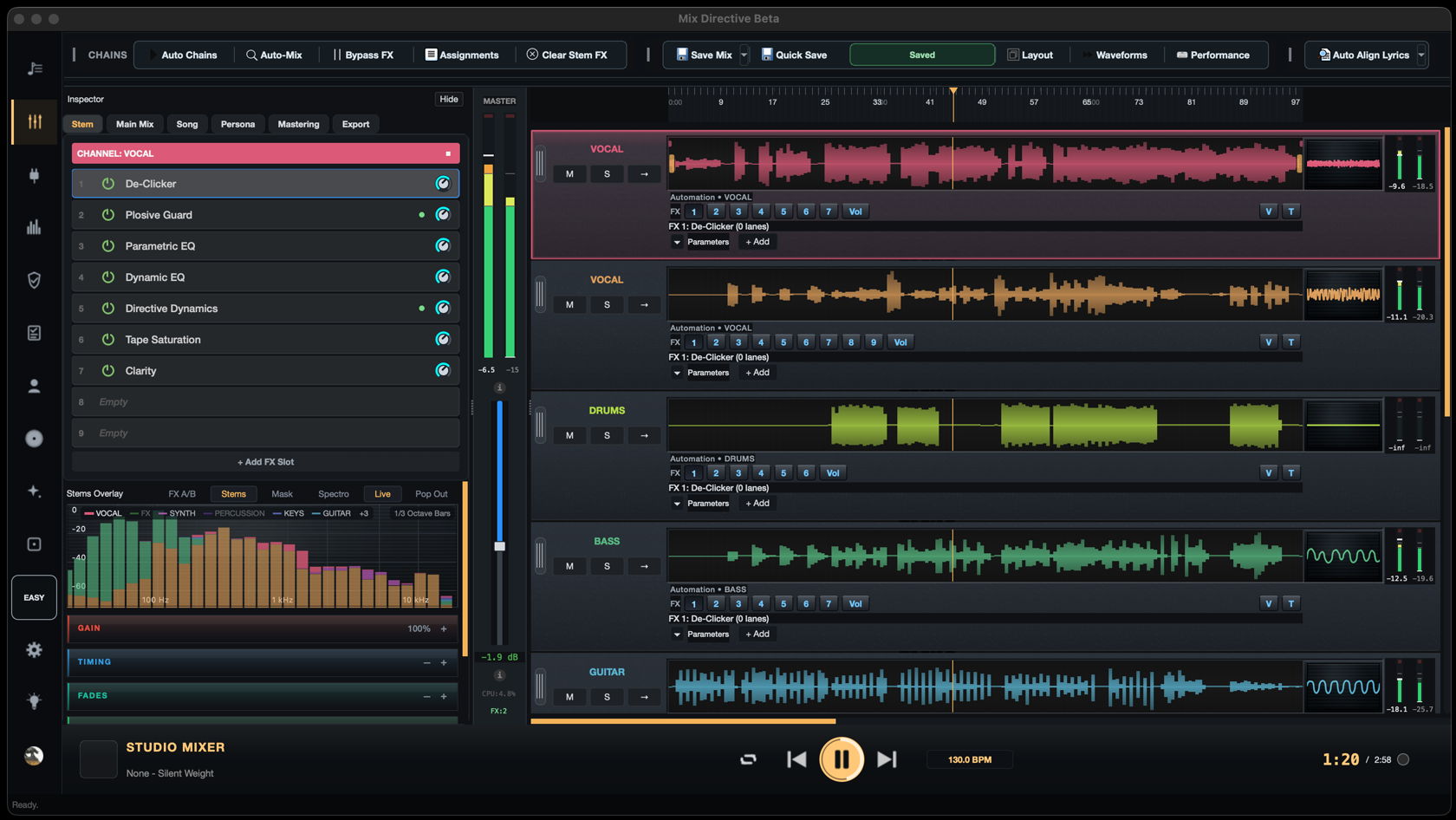
Mix Directive Studio mixer showing vocal, drums, bass, and guitar waveforms alongside effects and metering
Studio mixer · Beta interface

Hear the difference

Same performance.
Different mix.

Pick a track, press play, then switch between the original and mixed versions without losing your place.

Short original demos · Level-matched for a fair comparison · Headphones recommended

Choose a song sample

01 · R&B / soul

Urban Echo

Vocal clarity · low-end control

0:00 0:14

Listening: Original version

Both versions stay locked to the same moment.

Product tour

From scattered files to a finished release.

Follow the decisions that matter: get the right version in front of you, make the mix work, check the master, and hand off a complete release without rebuilding the context somewhere else.

01 · Catalogue

Organise songs and versions before you mix.

INGEST

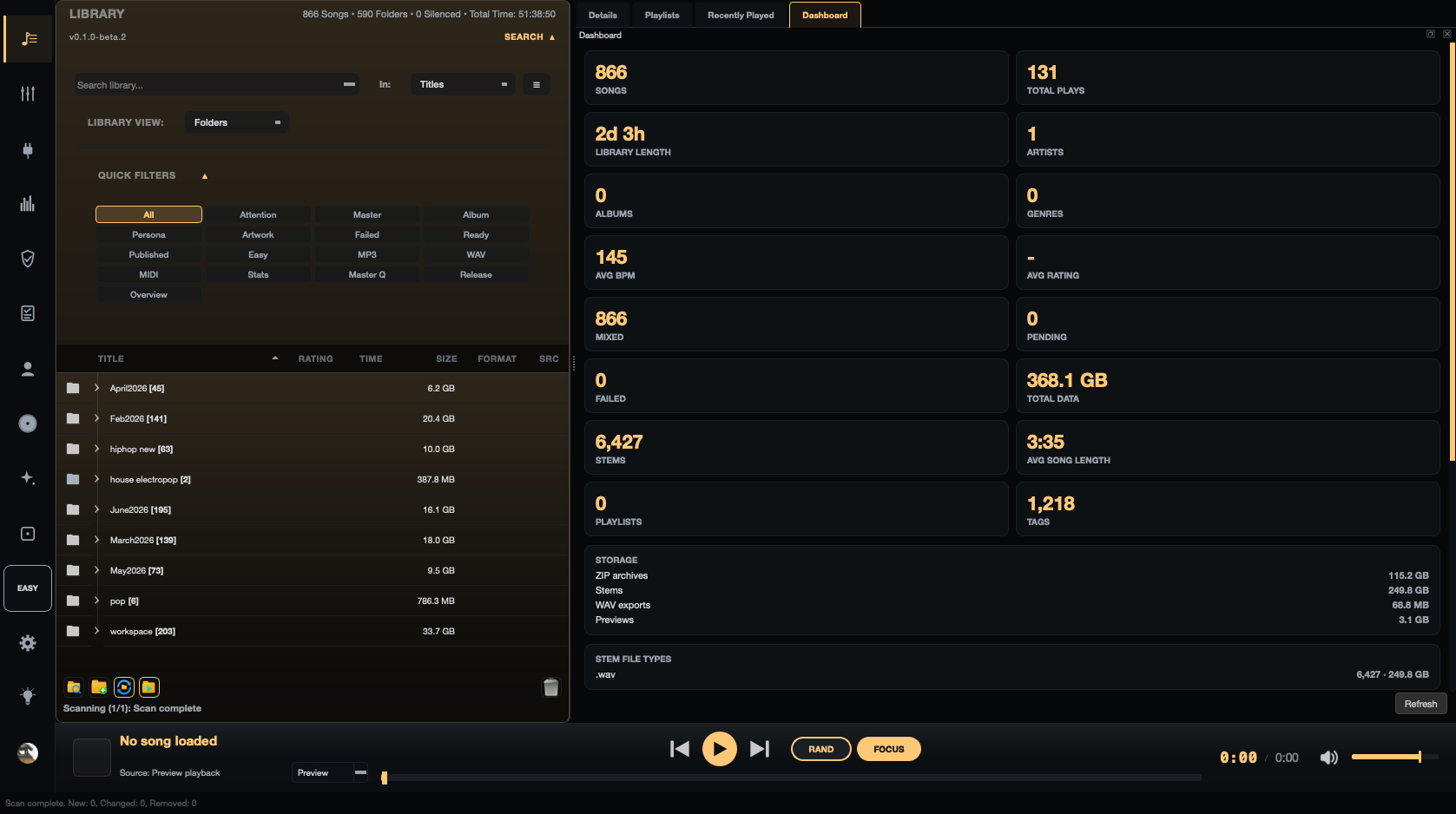
Bring ZIPs, folders, alternate versions, artwork, lyrics, and metadata into one searchable library. Deduplication and source health keep the catalogue dependable as it grows.

  • Deep scanning with duplicate detection
  • Zero-extraction previews
  • Search, tags, mood, and smart playlists
  • Source health and repair paths
Mix Directive library dashboard showing catalogue stats — song and stem counts, storage use, and library totals

02 · Studio

Make decisions in context.

MIX

Open a full mix or multitracks, balance stems, compare a reference, shape effects, and go deeper with automation, routing, clips, and supported plugins when the song needs it.

  • Reference-track A/B with level matching
  • Automation, buses, sends, and returns
  • Clip editing, fades, time, and pitch
  • Native and VST3 effects
Mix Directive Studio mixer with vocal, drums, bass, guitar, and keys stems, a per-stem effects chain, and metering

03 · Master

Check the master before it leaves.

CONTROL

Keep the final decision yours with analysis and metering that make problems visible. Analyse and master a full mix with manual control or guided chains, then render the format the next step needs.

  • LUFS and true peak metering
  • Phase correlation and mono check
  • Manual or guided mastering
  • Mix and stem exports
Mix Directive mastering panel with a streaming master chain — trim, EQ, compression, and a true-peak limiter set to −1.0 dBTP

04 · Release

Hand off without the loose ends.

READY

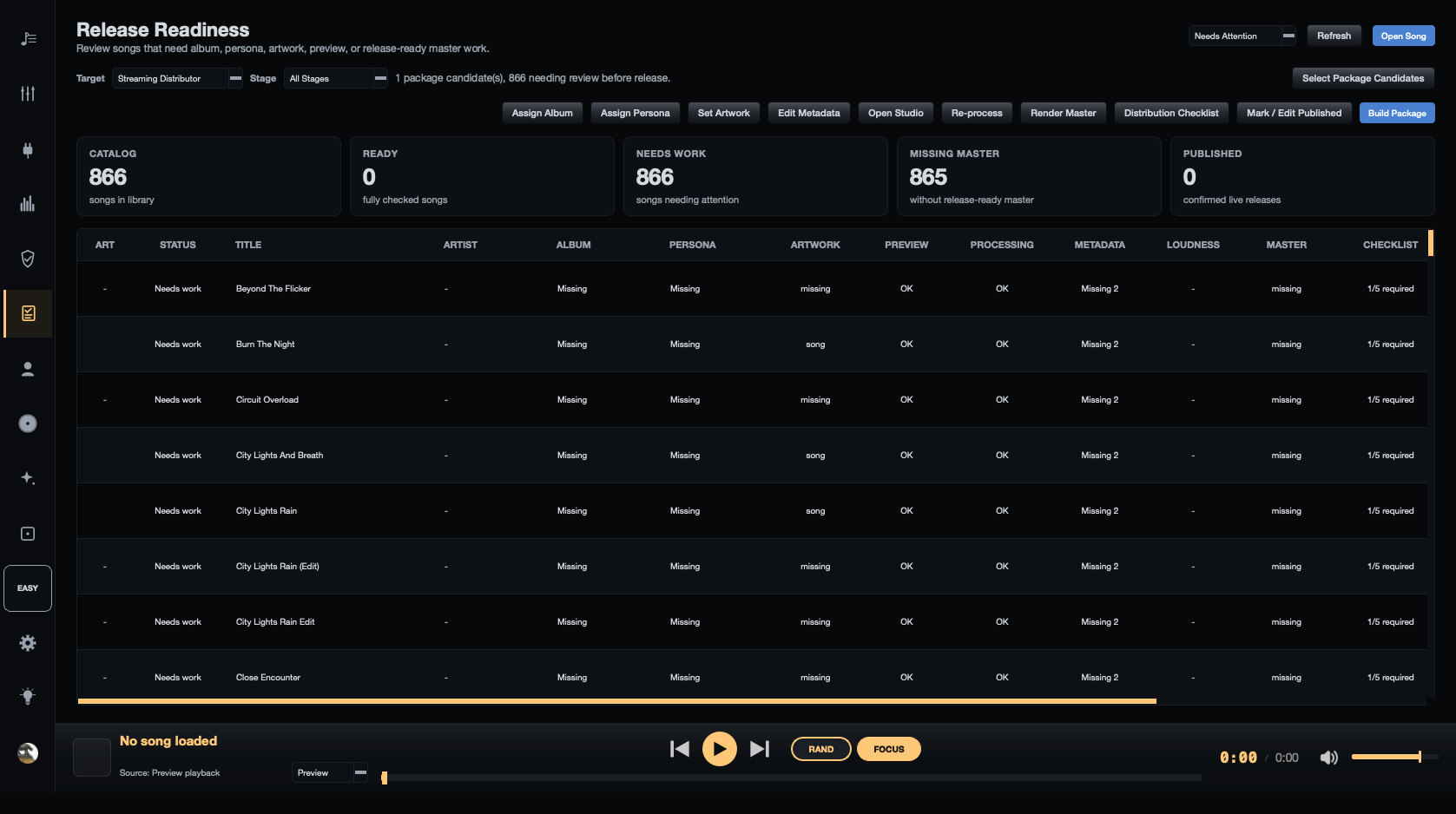
Keep the identity of the song beside the audio. Run a readiness pass before upload, then export individual songs, stems, or repeatable batch jobs with a report you can review later.

  • Artwork, lyrics, credits, and metadata
  • Release readiness checks
  • Single-song and stem exports
  • Repeatable batch jobs and reports
Mix Directive Release Readiness view listing songs with album, persona, artwork, metadata, loudness, master, and checklist status

Repeatable work

Make the second song faster than the first.

BATCH / REPORT

When the decisions are known, run a folder or manifest through the same render path, apply the chosen mastering preset, and keep a JSON report beside the output.

01 · QUEUEAdd songsZIPs, folders, or a manifest
02 · RENDERApply the pathFX, master preset, export
03 · REVIEWRead the reportSettings, outputs, and results

Catalogue + song details

Everything around the song stays connected.

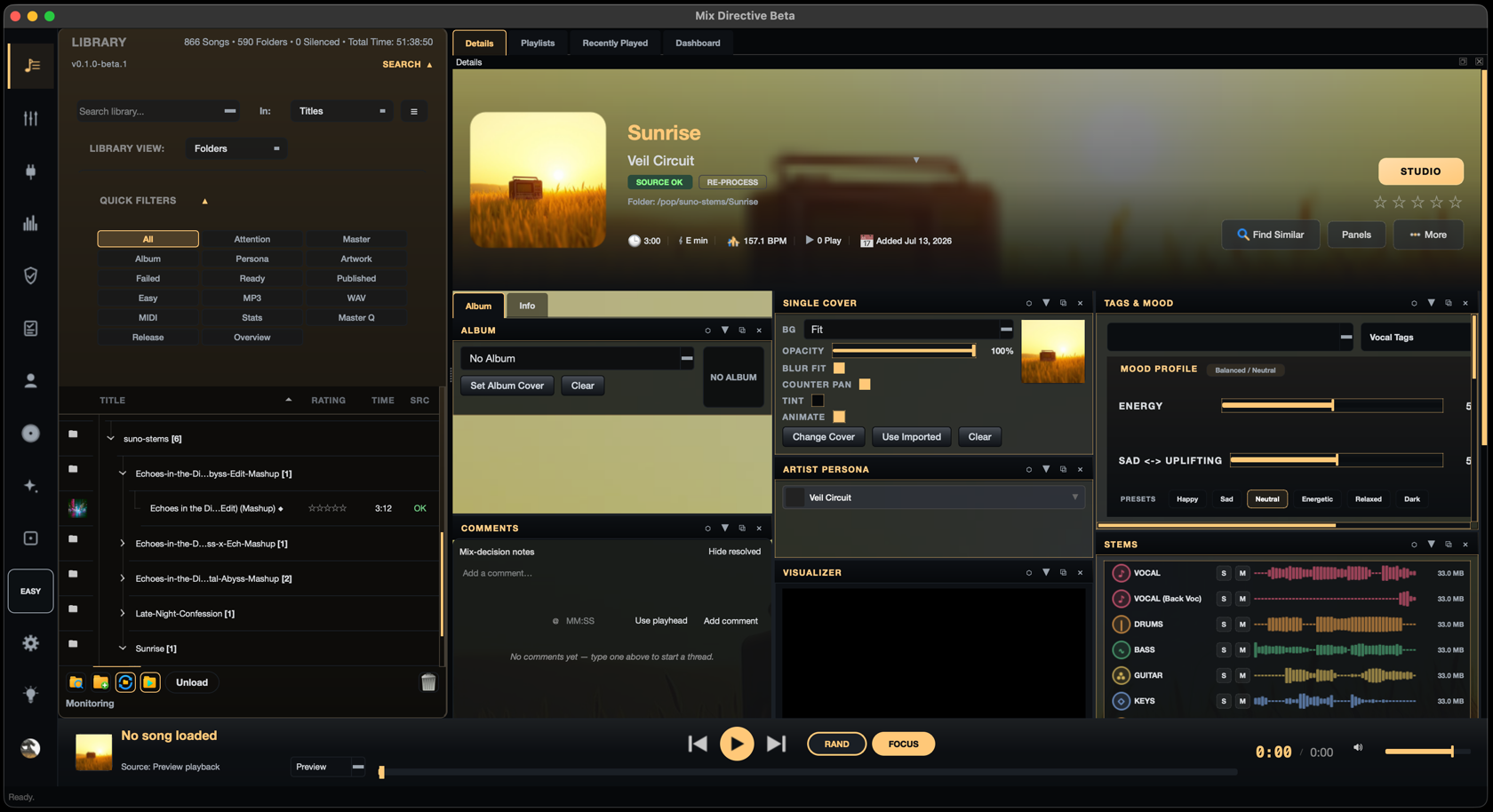
Browse versions alongside artwork, artist identity, tags, mood, comments, and stems — without breaking the thread between library and studio.

Mix Directive Library showing the Sunrise song with artwork, metadata, mood controls, and multitrack stems
Library · Details · Artwork · Stems

Built for finishing

One catalogue. Every stage.

Use the depth a song needs without turning every task into a new project, folder, or disconnected app.

01

Catalogue control

Organise songs and versions with search, tags, auditioning, and comparison without losing the thread between folders.

02

Focused studio

Move from quick fixes to deeper mixing, routing, automation, effects, and plugin workflows when a song needs them.

03

Source checks

Find missing, moved, noisy, clipped, or awkward source audio before it becomes a release-day surprise.

04

Mastering checks

Use guided chains when you want them, then read LUFS, true peak, phase, and mono checks before export.

05

Identity and metadata

Keep artist identities, artwork, lyrics, prompts, credits, and release details connected to the right song.

06

Ready-to-use outputs

Export individual songs and stems, run repeatable batch workflows, and review the resulting reports.

Plugins + effects

Keep trusted tools close.

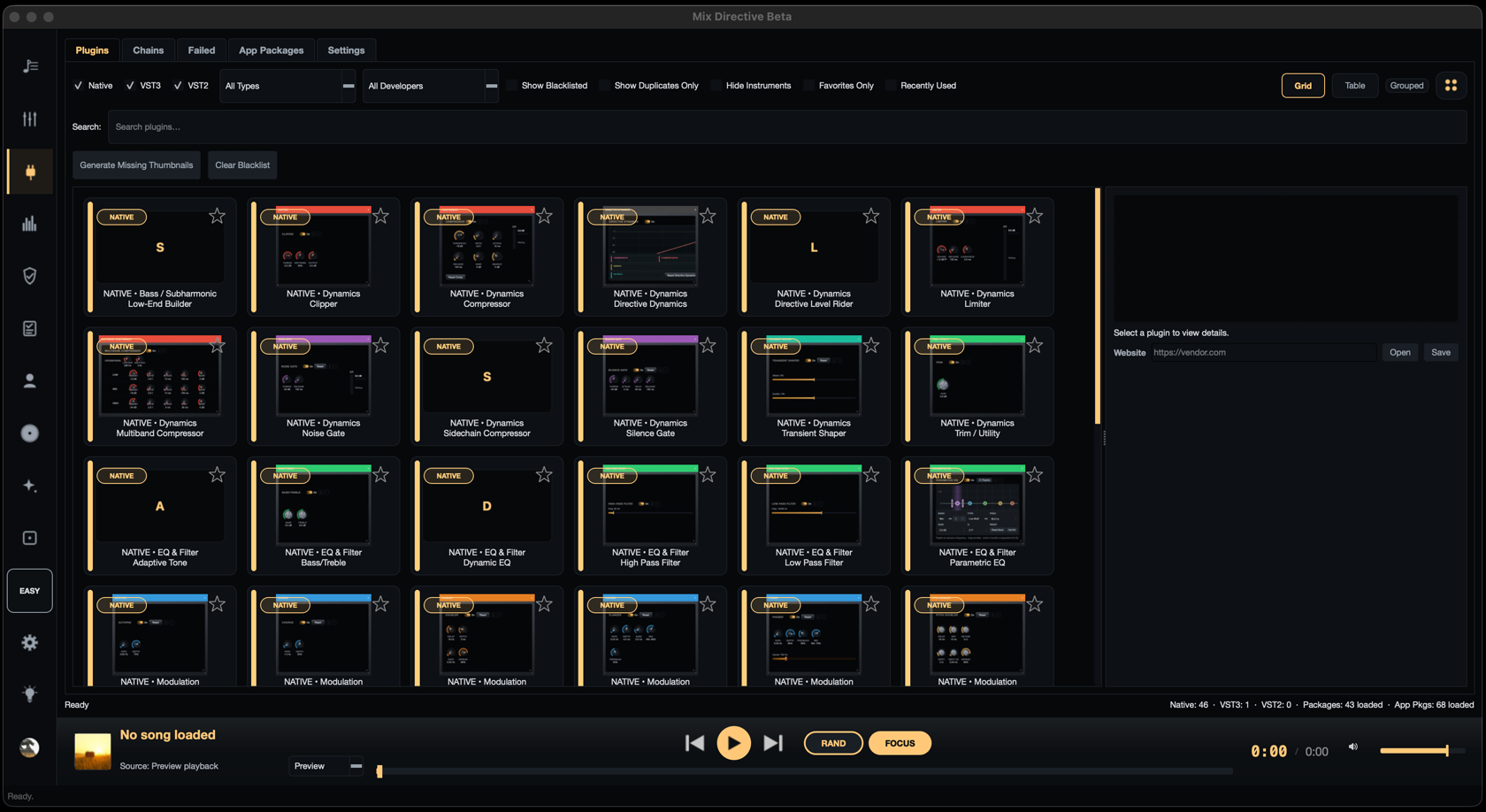
Browse native and VST3 effects, build chains, and find the right processor without leaving the Mix Directive workspace.

Mix Directive plugin browser showing native effects in a searchable grid with plugin details
Plugin browser · Native + VST

The directive

Fewer loose ends. Better decisions.
More music genuinely finished.

Private beta

Useful early. Honest about the edges.

Mix Directive is being actively developed. Keep independent backups of your songs, stems, lyrics, artwork, metadata, project notes, and exports. Beta builds may contain bugs and should never be the only copy of important work.

Small private tester group first.
Windows x64 first for the current beta.
macOS and Linux builds are planned.
Downloads will be sign-in gated later.

Get Early Access

Help shape the route to finished.

Tell us about your setup and the part of your workflow you want to improve. We will email you when your beta invite is ready — no spam, just Mix Directive.